ReSA has no ads. Here is everything about communities and branded apps
ReSA Multiplayer 1.1.7 is out for Android, iPhone and PC. Two big things change with it. First, the app has no ads any more. Second, it is ready for communities: a home inside ReSA for a SA-MP or open.mp server community. This post covers all of it: what works today, what server owners can set up now, and what opens next.
ReSA Multiplayer has no ads
Since 1.1.7, ReSA Multiplayer has no ads at all. There are none in the launcher, none in the game and none on iPhone. The PC version never had ads.
- There is nothing to buy to remove ads. Ad removal is no longer sold, because there are no ads left to remove.
- Older versions stop showing ads too. resa-mp.com now tells every launcher already installed that ads are off. You see no ads even before you update.
- No advertising code in 1.1.7. The 1.1.7 apps contain no advertising SDK, and they do not collect or use your device's advertising identifier.
- Supporters. If you paid for ad removal before, you are now a Supporter. If you want to help keep ReSA free, the Supporter badge is in the Store for a single payment of $4.99. It shows on your resa-mp.com account. The launcher does not show it yet.
You can get 1.1.7 from the Download page.
Communities
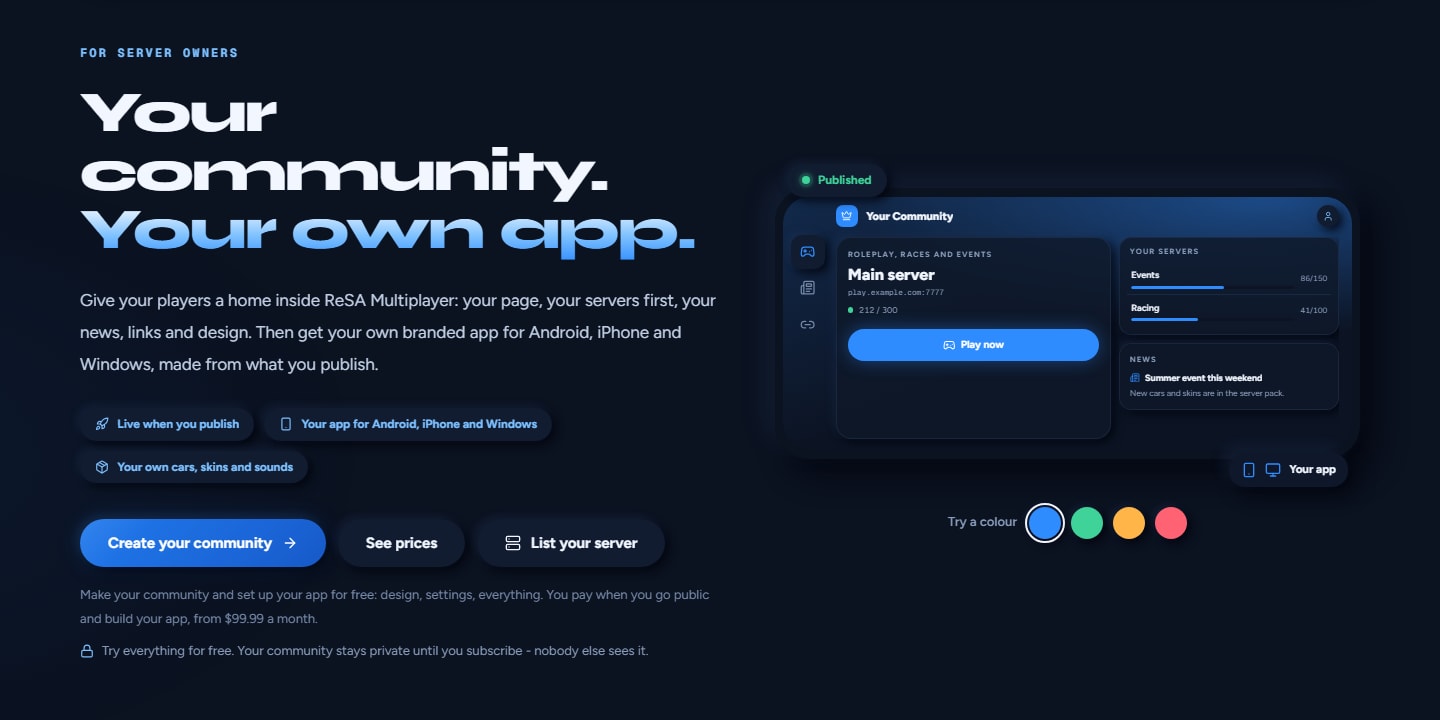
A community is a server community's own home inside ReSA Multiplayer. Each one has its own page at resa-mp.com/c/<name>. When you add a community, you get:
- its card on the Play tab, with its logo and news
- its servers at the top of your server list
- its links: Discord, Telegram, YouTube and its website
- its look, in the launcher and in the game
- its server packs, if it has any
Communities are new in 1.1.7. They work the same way on Android, iPhone and PC. Public communities are listed at resa-mp.com/servers/communities. There you can search them, sort them (Most players, Newest, A–Z), and filter for Has its own app. The list is empty for now. A community goes public when it is on the Branded app plan, and that plan is not on sale yet (see Plans below).
On the resa-mp.com server list, a server that belongs to a community shows the community's logo and name, and its server page says "Part of <name>". The In a community filter shows only those servers.
How to add a community
- Open the community's page on resa-mp.com.
- Tap Add to ReSA. ReSA Multiplayer opens and asks you before it joins.
- Tap Join community. The community's card is now on your Play tab.
- To leave, tap Leave (the arrow on the community card) and confirm.
If you do not have ReSA yet, the community page has a Get ReSA button.
More than one community
ReSA Multiplayer can keep up to 10 communities at once.
- On Play, tap Switch community (the people button on the community card).
- Tap the community you want. The one in use is marked In use.
- To get ReSA's own look back, tap ReSA Multiplayer in the list. The community stays in the list, so you can switch back to it.
Community files
1.1.7 can also add a community from a .resacommunity file:
- Android: tap the file and choose ReSA Multiplayer, or share it to ReSA Multiplayer.
- iPhone: in Files or Safari, tap Share, then ReSA Multiplayer.
- PC: double-click the file. This works once the launcher has run at least once.
- Any device: open the Files tab and tap Import community file (the people button at the top of the list). Add from a file in the community switcher does the same.
Coming: the site cannot hand out community files yet, so community pages do not show a download button for now. Use Add to ReSA to join.
What changes while a community is in use
The launcher takes on its look. That means its colours, corners, shadows, fonts and background picture, its logo on the community card, and its own names for some tabs. ReSA Multiplayer keeps its own name, logo and Home buttons. Your own choices always come first: Settings › Interface › Accent colour, and your own Custom background.
The game takes on its look too. That covers the chat box, name tags with their health and armour bars, the HUD bars and money, the radar ring, the game menu's tint, the loading screen and the font. Your own style always comes first. In the game menu, Settings › Interface › Panel style covers the chat and name tags, and Adjust controls and HUD covers the HUD. Reset style brings back the community's look for that item.
Changes arrive live. When a community publishes changes, its servers, news and links reach you without an app update. A new design shows the next time you start the app.
Server packs. A community can have its own cars, skins and sounds.
- Before you join one of its servers, the launcher downloads its packs. It checks that each pack is exactly what the community published.
- Each pack shows in Mod Loader as one locked item. A new version from the community replaces the old one.
- Optional packs are listed on the community card. Turn one on, and it is downloaded the next time you join.
- If a required pack cannot be downloaded the first time, the join stops and a message tells you why. If you already have an older version of that pack, you keep playing with it.
- When you leave the community or switch to another one, its packs are removed the next time you start the game.
Some settings can be turned off. A community can turn off auto aim, Lua scripts (AL Loader), mods, keyboard and mouse on phones, free camera and voice chat. It can also cap the frame rate.
- In ReSA Multiplayer, this applies only on the servers of the community in use.
- A setting it turned off is greyed out, with "Set by <name>" under it. A frame rate cap stops the FPS limit slider at the community's maximum.
- Your own choice is kept, and it comes back by itself on every other server.
What a community can never change:
- the update prompt and service notices
- the not-affiliated notice and "Powered by ReSA"
- account and password fields
- join and security prompts
- the online and offline colours
- any link or address
Colours that a server sends are never changed either: chat, textdraws and name colours. Fonts come from a built-in list, and for now designs are dark only.
The launcher's Help & FAQ explains all of this under Servers and playing.
Branded apps (coming)
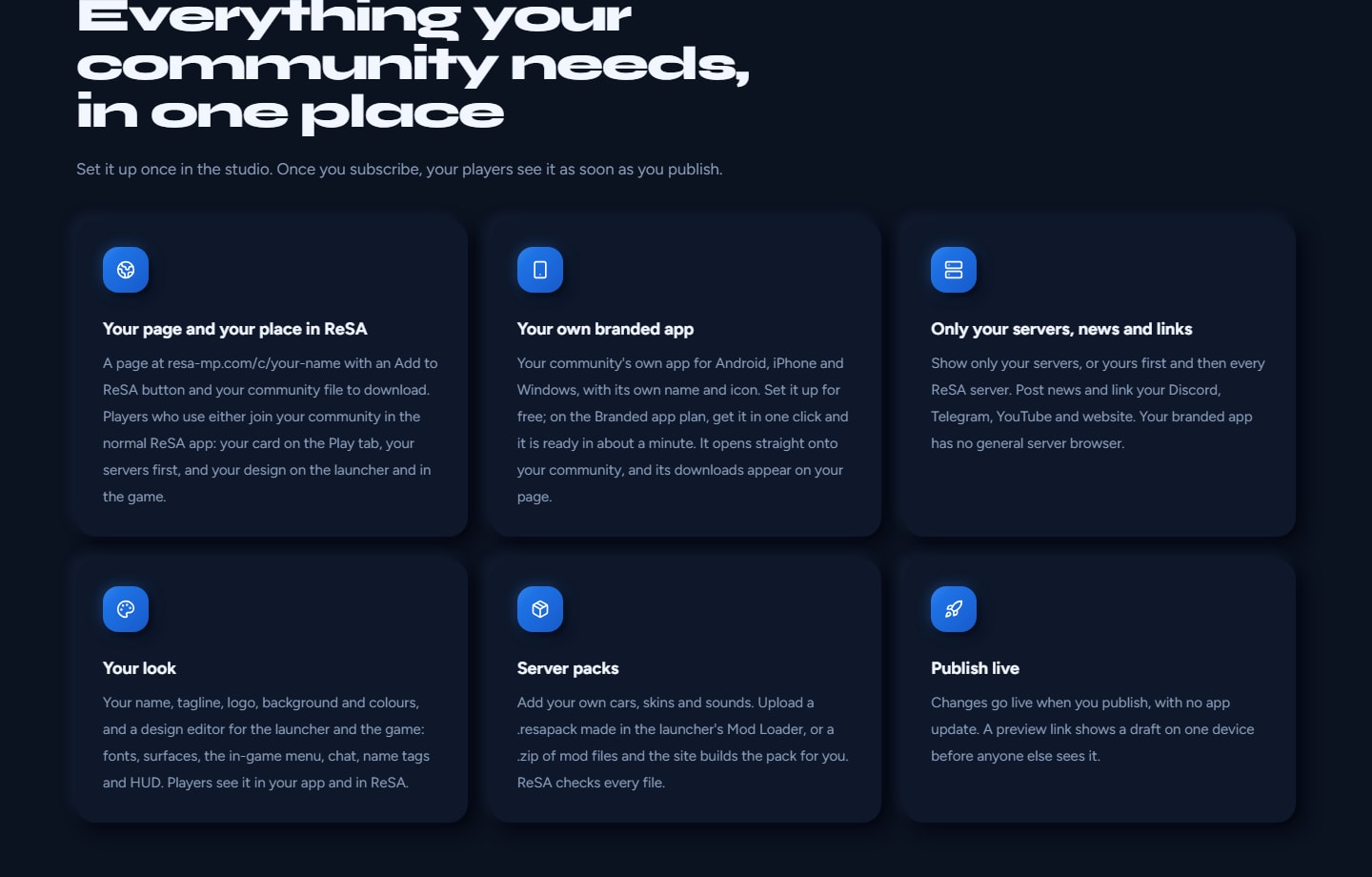
A branded app is a community's own app, made from ReSA's app. It carries the community's:
- name under the icon (1 to 30 characters)
- logo, as the app icon
- design, servers, news and links
- server packs
The Branded app plan includes all three versions: Android (APK), iPhone (IPA) and Windows (PC zip).
Coming: the service that makes branded apps is not running yet, so no branded app can be made today. Everything below describes how branded apps work once it opens.
What players get
- The app opens straight onto its community, and Play shows its servers, news and links.
- There is no Servers tab, no general server browser and no community switcher. To play other servers, players use ReSA Multiplayer.
- In its own app, a community can also design things that ReSA Multiplayer keeps as its own: the logo in the top bar, the splash and loading header, which Home sections show and in what order, and the quick links.
- Settings the community turned off stay off everywhere in its app, offline too.
- Downloads appear on the community's page as "<app name> for Android", "<app name> for iPhone" and "<app name> for Windows", with the version and size. They also show on the page of every verified server listing that belongs to the community.
Installing a branded app
- Android: an APK you download from the community's page. It is not a Google Play app. It installs next to ReSA Multiplayer and keeps its game files in its own folder.
- iPhone: an unsigned IPA, delivered the same way as ReSA's own iPhone download. Install it with an on-phone signer such as KSign or ESign. The download has a How to install link.
- Windows: a PC zip with the community's name and window title, and its own settings folder.
Updates
A branded app updates along with ReSA. When ReSA releases a new version, the app is made again automatically.
- Players see Update available in the Updates tab.
- They tap Download, then Open download page. The community's page opens in the browser.
- They download the new version there and install it over the old one. On PC, they replace the old folder. On iPhone, they sign and install it with the same signer app they used the first time.
Your nickname, settings and game files stay. Servers, news and links still arrive live, without an update. A community can set the Oldest build that may play. ReSA's own minimum version also applies.
Making the app
Once the service opens, an owner on the Branded app plan sets the app's name and presses Get my app for each platform. The app is ready in about a minute, with no approval step. Upload and publish a logo first, because it becomes the app's icon. The plan allows 3 app builds a day, shared by all three apps.
ReSA does not put branded apps on Google Play or the App Store. If you want a fully custom app published under your own name on Google Play and the App Store, use Talk to us on the Studio page.
ReSA Studio: where owners set it all up
Studio is live now at resa-mp.com/studio, under Studio in the site menu. It needs no code and no app store.
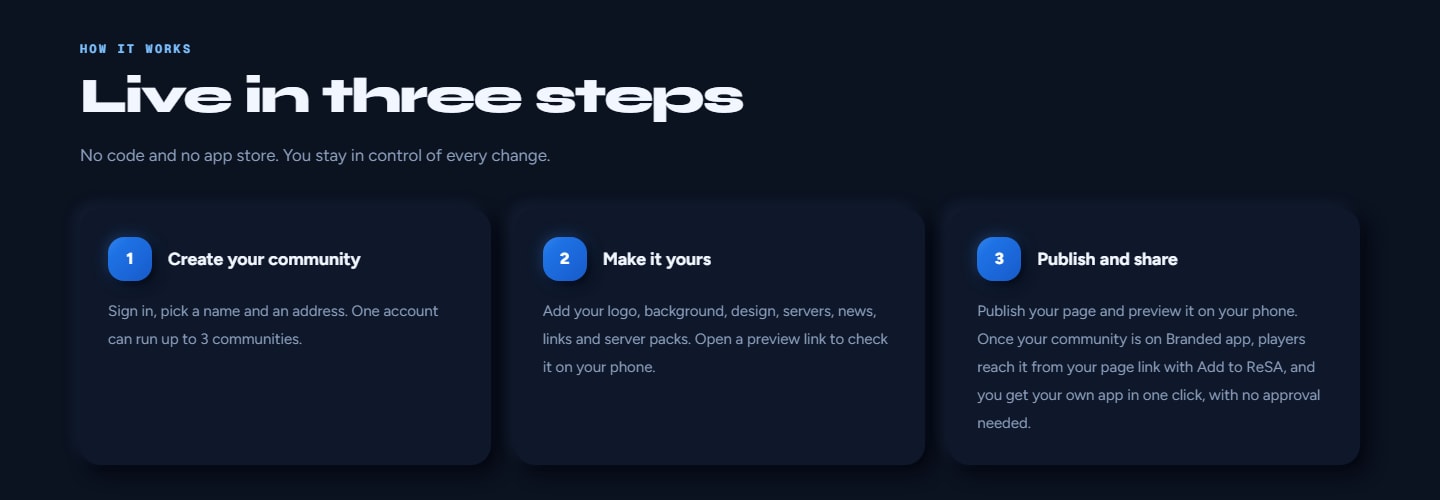
- Sign in and press New community. Enter a Name and an Address (it becomes resa-mp.com/c/<address>), then press Create community. One account can own up to 3 communities, and each one starts on the free tier.
- Set it up in the community's tabs: Content, Design, Player settings, Branded app and Plan.
- Press Save draft, check your work with Preview on my phone, then press Publish.
Content
- Brand: the name players see, a tagline, an accent colour, a logo and a background. ReSA re-encodes every logo and background before players get it.
- Servers: up to 50. Pick them with Add from my listings, or type an address with Add another server. Under Server list, choose Only your servers or Your servers first, then every ReSA server. You can also turn on Players may add other servers by address.
- Links: Discord, Telegram, YouTube and your website.
- News: up to 50 posts per calendar month (UTC). The site sets each post's date, so posts cannot be backdated. Your newest 50 posts are kept.
- Game files: your server packs, on the Branded app plan.
Your community shows as yours on the server list and on server pages only for listings you have verified.
Design
The Design tab is a visual editor with a live mock of the launcher (Home, Servers, Settings, Splash) and of the game (HUD with chat and name tags, Menu, Loading). You can switch the mock between Launcher and In-game, between Your app and In ReSA, and between Phone and Tablet / PC.
- Presets: ReSA, Midnight, Ember, Forest, Violet, Graphite and Arcade.
- Colours, surfaces and fonts.
- Launcher: background, logo, splash, Home and tab labels. The top-bar logo, the splash and the Home sections apply only in your branded app. ReSA Multiplayer keeps its own.
- In-game: game menu, chat, name tags, HUD, radar, loading screen and in-game font.
- Undo and redo, plus readability checks on every design. The site refuses to save a design whose text would be hard to read.
Preview on my phone
This makes a link that lasts 15 minutes. Open it on a phone or PC that has ReSA Multiplayer and tap Start preview. You see your draft's servers, news and links on that one device, until you tap End preview or close the launcher. A preview does not apply your design, so check your look in the Design tab's mock.
Player settings
Here you can set auto aim, Lua scripts (AL Loader), mods, keyboard and mouse on phones, free camera and voice chat to Players choose or Always off. Frame rate cap sets the highest frame rate players can pick. Mods cannot be turned off while your community has server packs, because that would stop the packs too.
Branded app
Type your app's name under Name under the icon and press Save app. You can do this on the free tier. Only the community's owner can name the app. Making the app needs the Branded app plan and the app service, and both are coming.
Server packs
On the Branded app plan, you upload a .resapack. To make one, open the launcher's Files tab, switch to Mods, tap Mod Loader, then Create server pack. You can have up to 5 packs, each one required or optional, with 2 GB of pack storage in total. ReSA checks every file. Coming: building a pack on the site from a .zip of mod files.
Server check for your gamemode
Download resa.inc from resa-mp.com/servers/check. It adds these to your gamemode:
IsPlayerUsingAlynReSA(playerid)IsPlayerResaChecked(playerid)GetPlayerResaApp(playerid, app[], size = sizeof app)- the
OnPlayerResaCheckcallback, called once for every player who joins
It works with every ReSA build players already have. open.mp servers can use it today. Coming: it does not work on SA-MP 0.3.7 servers yet.
Coming: a public community will get its own copy of the include from its Branded app tab. That copy adds IsPlayerUsingOwnApp(playerid) and a function named after the community, for example IsPlayerUsingLunarRP. With it, a server can let in only players who use its own app.
Plans
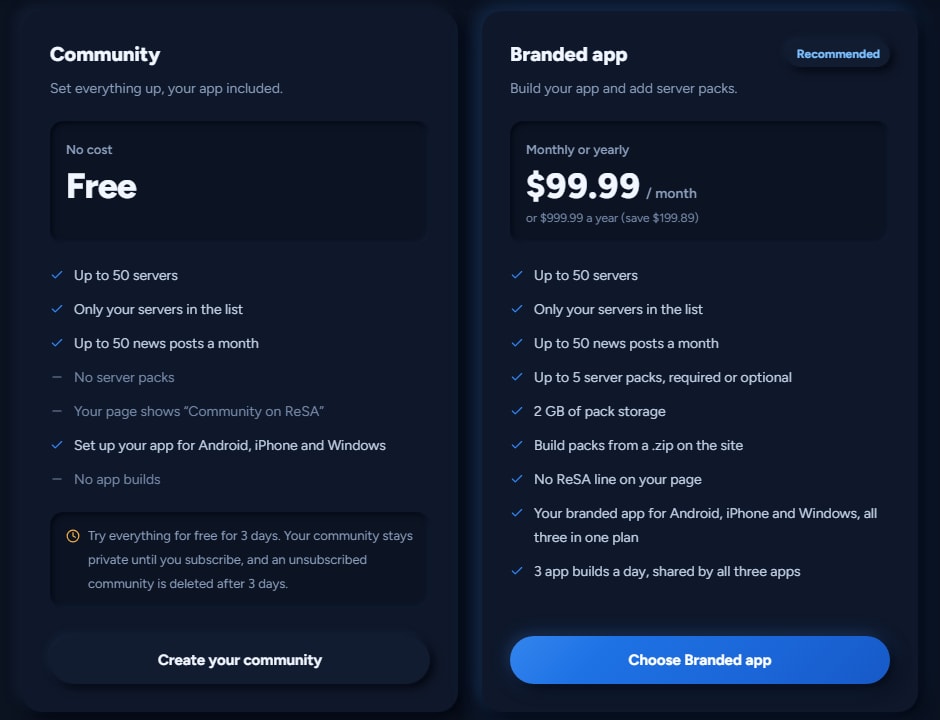
Community: free
- Set up everything: your page, up to 50 servers, up to 50 news posts a month, links, logo, background, design, player settings, preview and publishing
- Set up your branded app's name
- Private: nobody else sees your community until it has the Branded app plan
- Your page shows "Community on ReSA"
- No server packs and no app builds
Branded app: $99.99 a month, or $999.99 a year
- Everything in Community
- Your community goes public: its page, Add to ReSA, the communities list and the server list
- Up to 5 server packs, each required or optional, with 2 GB of pack storage
- Building packs from a .zip on the site (coming)
- No "Community on ReSA" line on your page
- Your branded app for Android, iPhone and Windows, all three in one plan (coming)
- 3 app builds a day, shared by all three apps
Prices are in USD.
When can I get it?
You can already create a community in Studio, set up everything and publish it for free. It stays private until it has the Branded app plan.
The Branded app plan is not on sale yet. Card checkout stays closed while we finish the service that makes the apps. It will open on your community's Plan page in Studio. Until then, the Plan page says "Card payments are not available right now."
If you want to talk to us about the plan now, or pay with crypto or PayPal, contact us on Discord or Telegram from resa-mp.com/community. App builds start once the app service is running.
Once sales open:
- You buy the plan for one community, on its Plan page, by card, monthly or yearly.
- It renews automatically until you cancel in Manage billing. It keeps working to the end of the period you paid for, and partial periods are not refunded.
- If a payment fails, the plan stays on for 7 more days while you fix your card.
- A running subscription keeps the price it started with.
- When a plan ends, the community goes back to the free tier and becomes private again. New app builds stop, but an app that was already made keeps working. If you subscribe again, the published version is public again at once.
Short answers
Do players need anything?
No. Players use the normal ReSA Multiplayer app, version 1.1.7 or newer. They open a community's page and tap Add to ReSA. There is nothing else to install.
Does it cost players anything?
No. ReSA Multiplayer is free and has no ads. Adding a community is free, and community apps will be free to download too. Only community owners pay, for the Branded app plan. The Supporter badge is optional.
Is my community's data safe?
Only your community's members, and anyone you send a preview link to, see your drafts. Your published page also stays private until your community has the Branded app plan. ReSA checks every pack file and re-encodes every logo and background. A community can never change ReSA's update, account, join or security prompts, or any link or address.
What does the server check know about players?
While you play on a server, the ReSA app tells resa-mp.com which server you are on, your nickname and which app you use. It does this when you join and then about once a minute. This is the same report that shows the ReSA badge on the scoreboard. The site keeps it in memory for a few minutes, writes it to no database and logs no names. A server's script only learns whether you use ReSA and which app.
What about iPhone?
ReSA Multiplayer 1.1.7 for iPhone has no ads and supports communities just like Android and PC. Get it from the Download page. Branded iPhone apps are coming. They will be unsigned IPAs that you install with KSign or ESign, the same way as ReSA's own.
Does ReSA run community servers?
No. A community is made by its own owners. It is not part of ReSA, and ReSA does not run its servers.
Where can I read more?
In the launcher, open Help & FAQ and go to Servers and playing. Updating a community's own app is under Getting started. Server owners can also read the FAQ on resa-mp.com/studio.