Branded apps are live: your community's own app for Android, iPhone and Windows
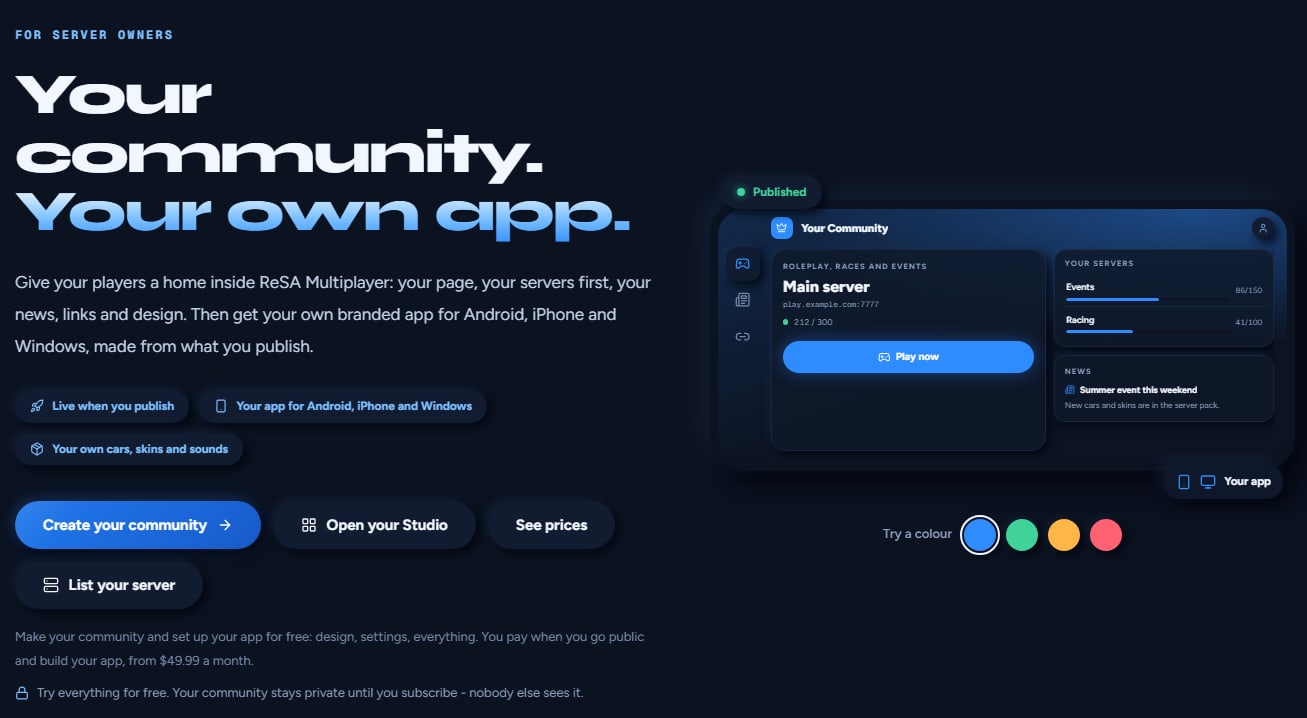
Branded apps work now. Any community on the Branded app plan can make its own app for Android, iPhone and Windows in one click: your name and icon on the device, your servers, news and design inside, running on the ReSA engine. ReSA's app service makes it from your published community in about a minute. No approval, no app store, no code.
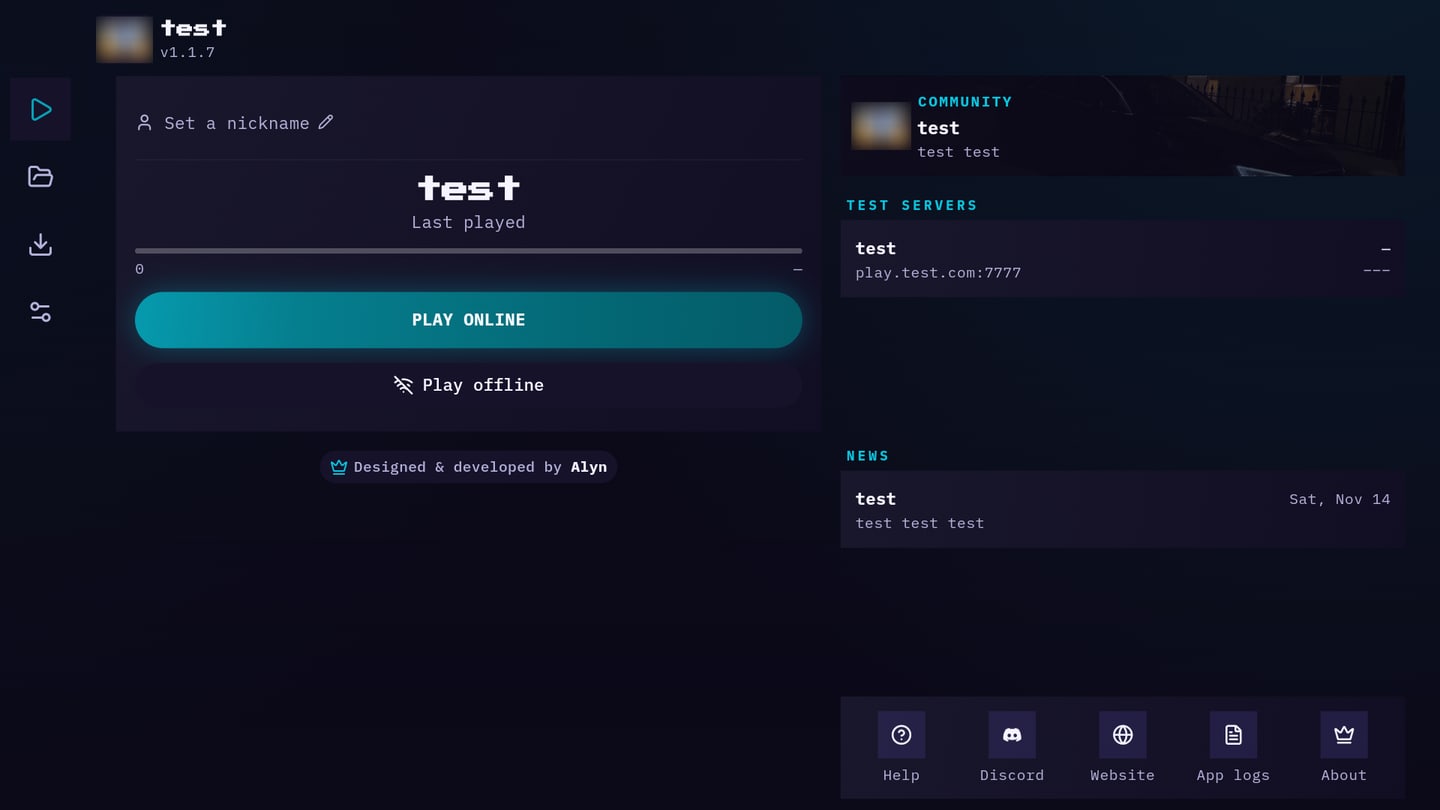
We switched the app service on today, made the first Android, iPhone and Windows apps with it, and installed the Android one on a phone: it opens straight into the community, with its own name, logo, servers and news.
How to get your own app
1. Create your community (free)
- Open resa-mp.com/studio and tap Create your community. Sign in if the site asks.
- Pick a name and an address. One account can run up to 3 communities.
Setting everything up is free, and your community stays private until you subscribe: nobody else sees it.
2. Make it yours
- Content: add your servers, news posts and links.
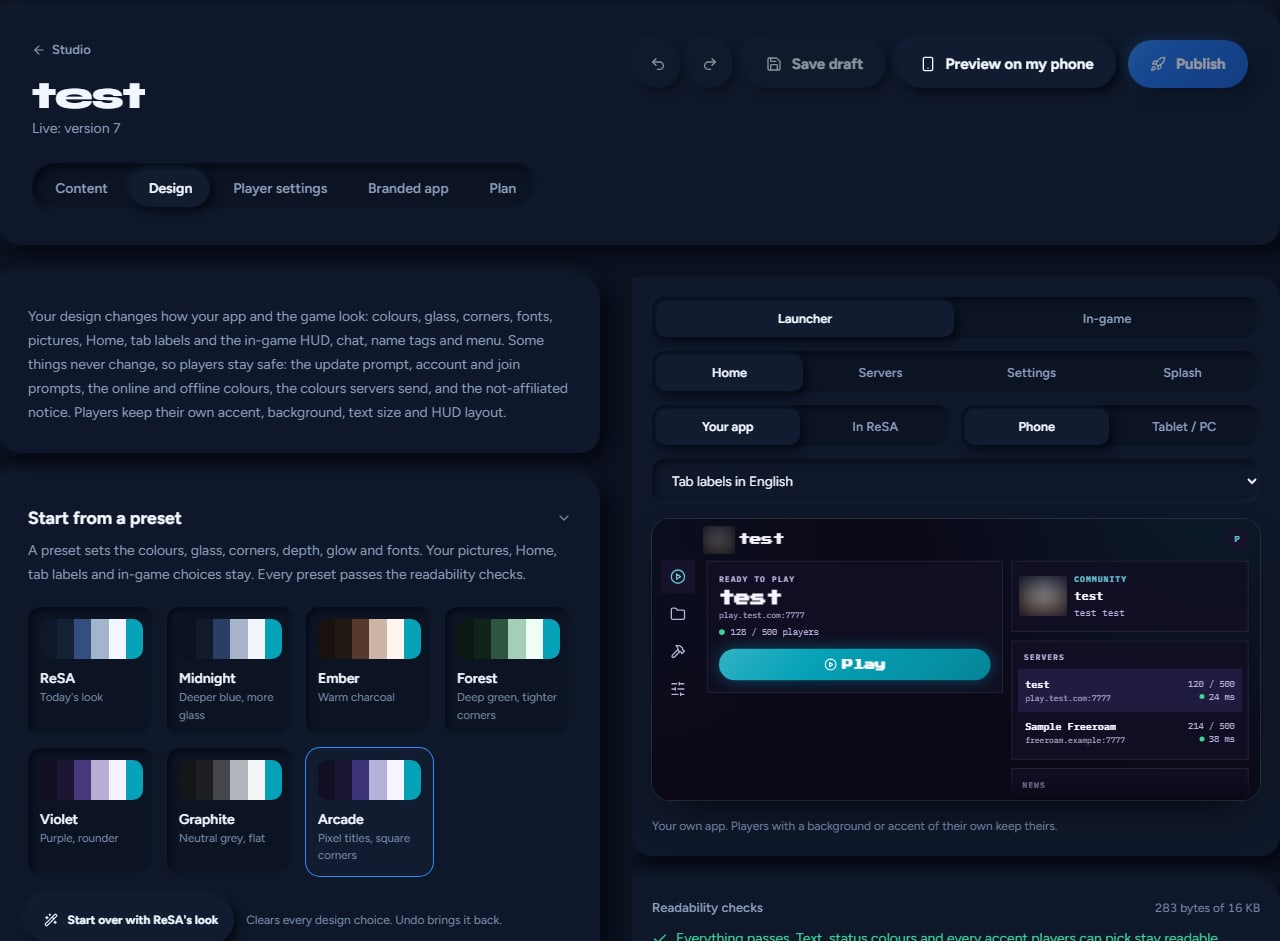
- Design: start from a preset, then choose your colours, fonts, background and logo. The logo becomes the app icon, so use a square PNG of at least 512 px.
- Tap Preview on my phone to check it on a real device.
- Tap Publish. Your app is always made from the published version.
3. Choose the Branded app plan
Open the Plan tab and tap Choose Branded app: $49.99 a month, or yearly with 2 months free. You pay by card. Paying with crypto or PayPal? Tap Contact us under the button.
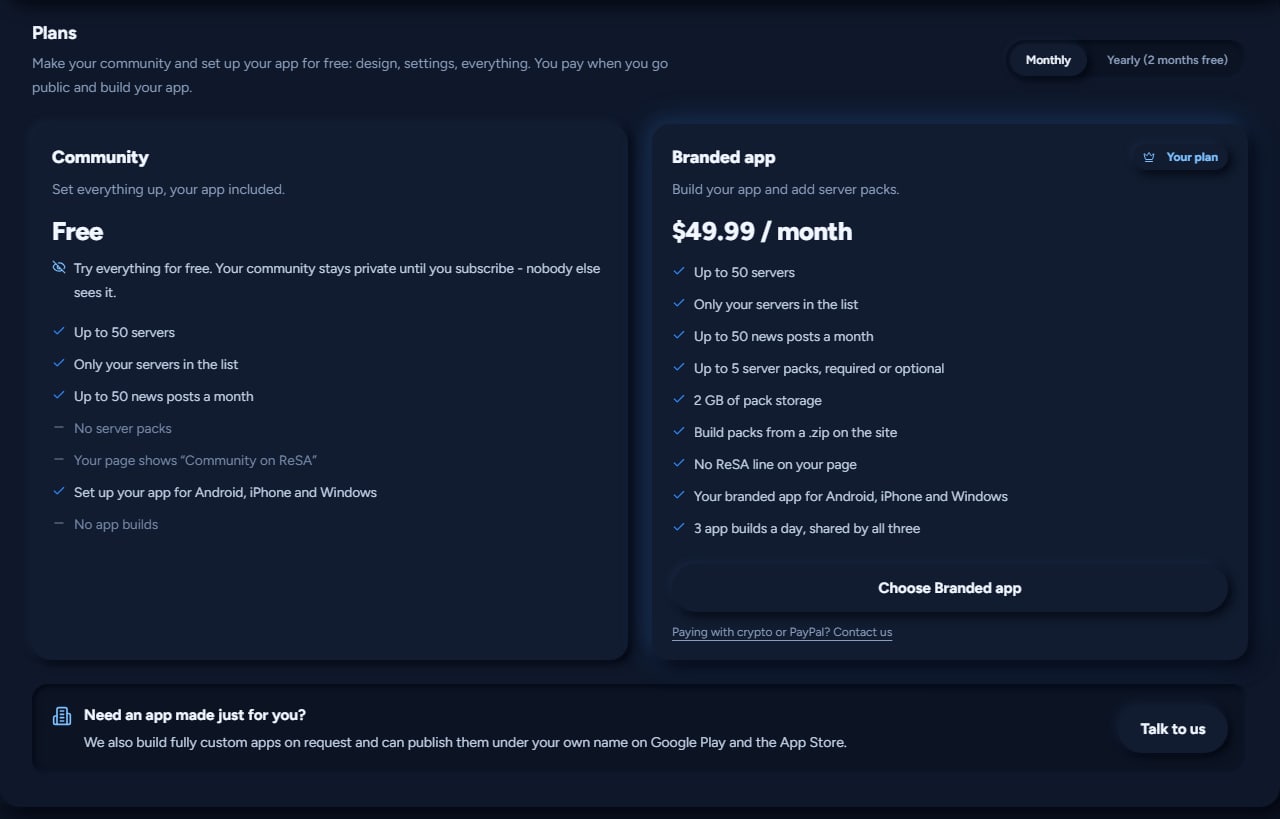
The Branded app plan includes:
- Up to 50 servers, and only your servers in the list
- Up to 50 news posts a month
- Up to 5 server packs, required or optional, with 2 GB of pack storage
- No ReSA line on your page
- Your branded app for Android, iPhone and Windows
- 3 app builds a day, shared by all three
4. Get your app
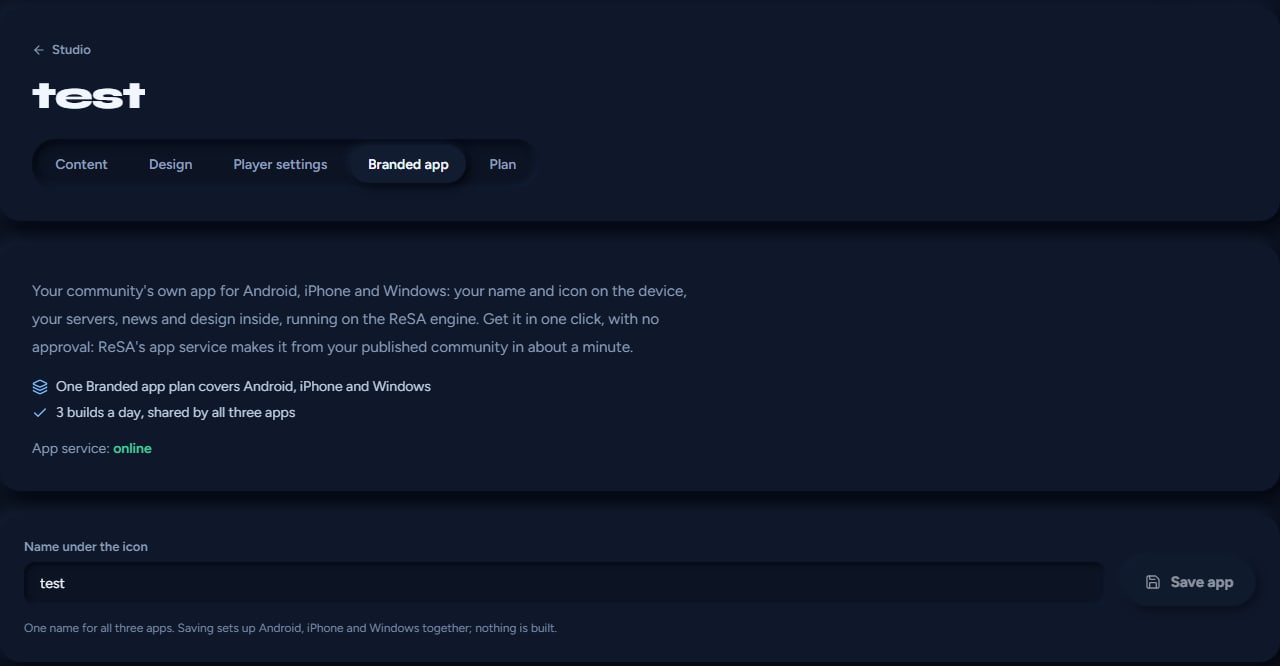
- Open the Branded app tab. App service: online means it is ready.
- Type the Name under the icon and tap Save app. One name covers all three apps.
- On Android, iPhone or Windows, tap Get my app. It is ready in about a minute.
- Tap Download to get the file yourself.
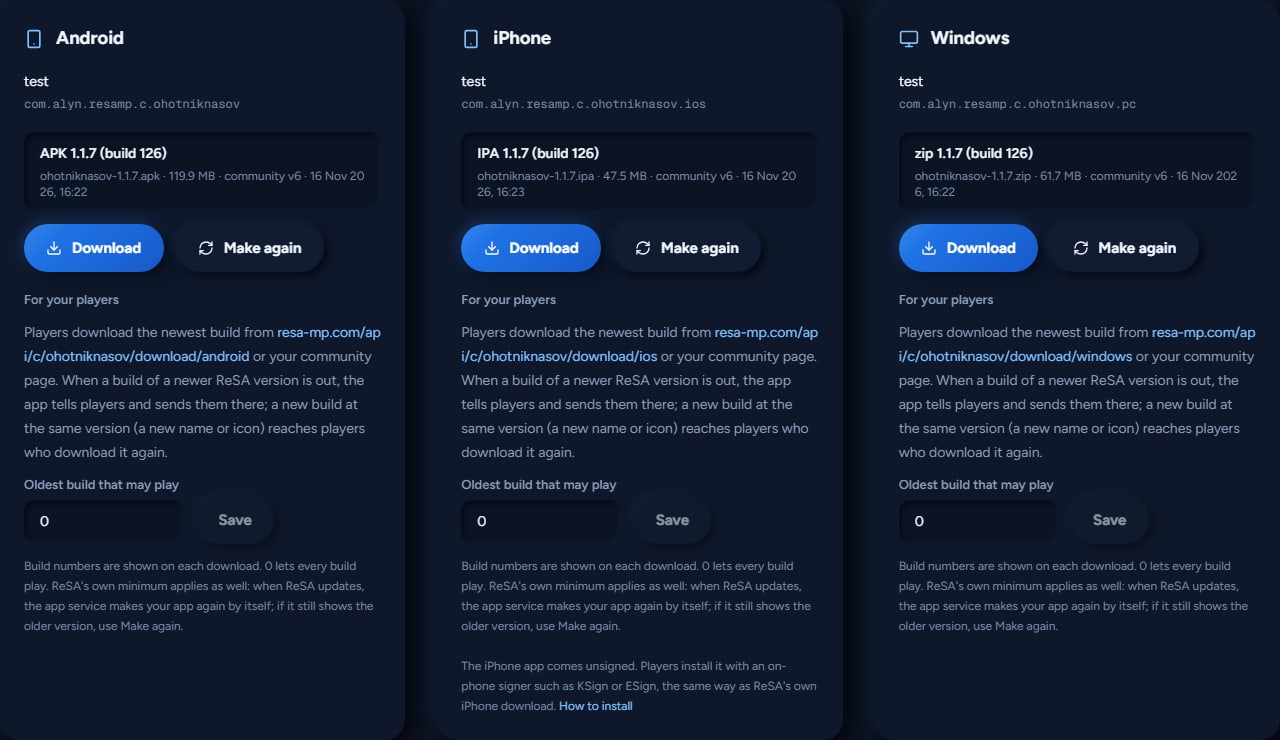
Every app is its own app on the device, with its own name and icon, next to ReSA and not in place of it. The Android app is signed with a key made for your community.
5. Share it with your players
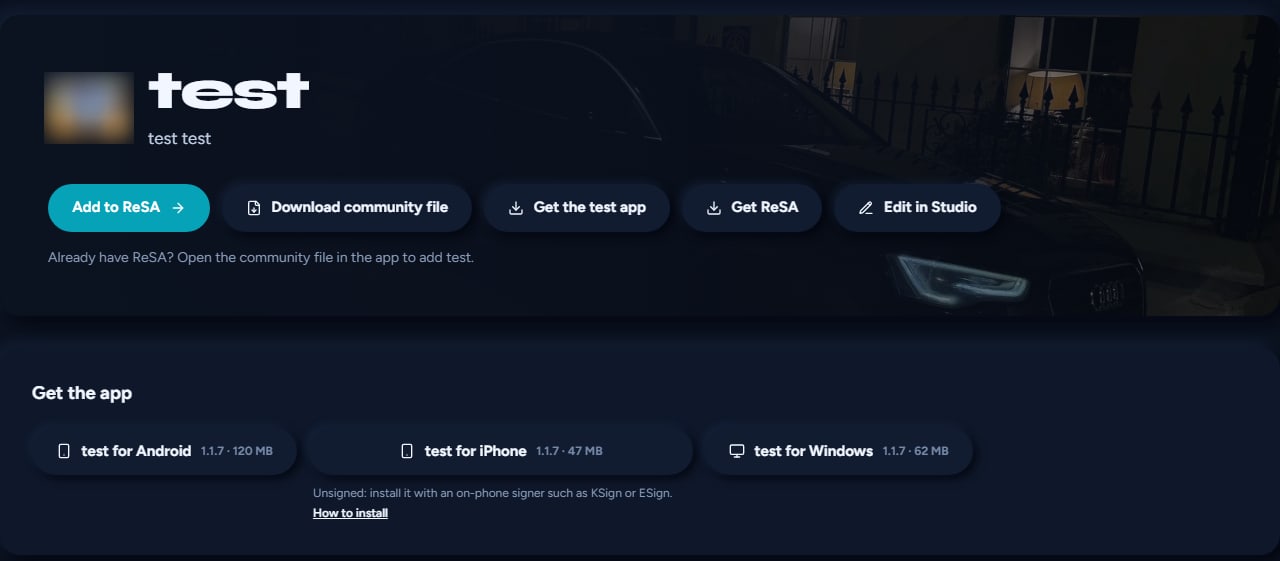
Your community page shows Get the app with all three downloads. Each card in the Branded app tab also shows a direct link to share, for example resa-mp.com/api/c/your-address/download/android (or /ios and /windows).
- iPhone: the app comes unsigned. Players install it with an on-phone signer such as KSign or ESign, the same way as ReSA's own iPhone download. The How to install link explains it.
- Windows: it installs the same way as ReSA's own PC download.
6. Updates
When a new ReSA version comes out, the app service makes your app again by itself, and the app tells your players and sends them to the new download. A new name or icon at the same version reaches players who download it again: change it, tap Save app, then Make again. Oldest build that may play lets you keep very old builds out of your servers (0 lets every build play).
7. Let only your app in (optional)
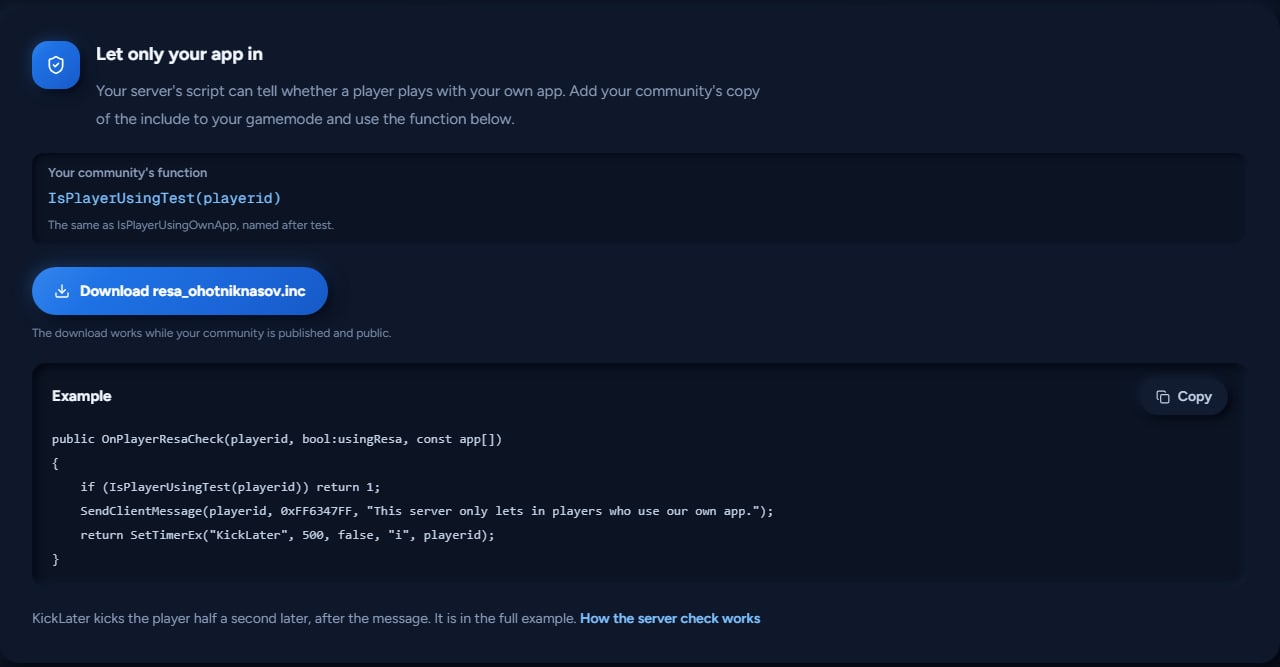
Your server's script can tell whether a player plays with your own app. In the Branded app tab, download your community's include (resa_your-address.inc), add it to your gamemode and use your community's function. It is named after your community (a community called "test" gets IsPlayerUsingTest(playerid)), and the tab shows its exact name with a ready example to copy. This works on open.mp servers now; SA-MP 0.3.7 servers are coming.
Good to know
- 3 builds a day, shared by Android, iPhone and Windows. A build that fails on our side does not count.
- Community files work too: players who already have ReSA can tap Add to ReSA on your page, or open your community file, to add your community inside ReSA.
- Still coming: building server packs from a .zip on the site, and the own-app check on SA-MP 0.3.7 servers.
- Need an app made just for you? We also build fully custom apps on request and can publish them under your own name on Google Play and the App Store. Tap Talk to us on the Plan tab.
- ReSA has no ads.
Start now at resa-mp.com/studio. Questions? Ask us on Discord.